# BEP20 Token
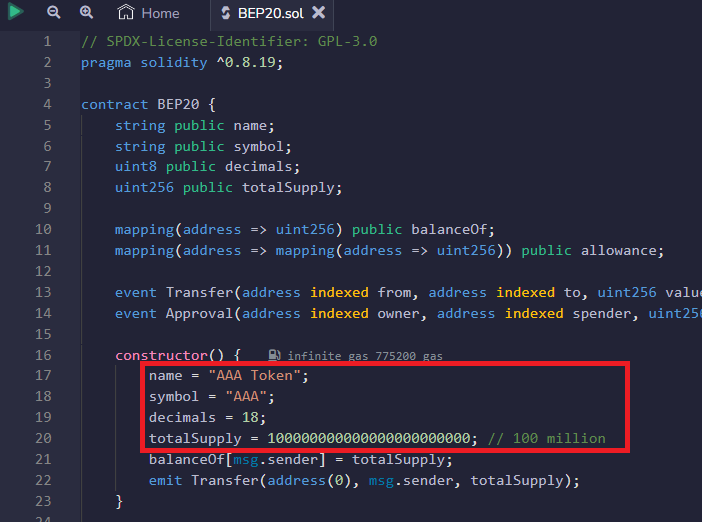
A BEP20 token must implement the interface `IBEP20` in IBEP20.sol. This is a template contract BEP20Token.template. Users just need to fill in `_name`, `_symbol`, `_decimals` and `_totalSupply` according to their own requirements:
```
constructor() public {
_name = {{TOKEN_NAME}};
_symbol = {{TOKEN_SYMBOL}};
_decimals = {{DECIMALS}};
_totalSupply = {{TOTAL_SUPPLY}};
_balances[msg.sender] = _totalSupply;
emit Transfer(address(0), msg.sender, _totalSupply);
}
```
Then users can use [Remix IDE](https://remix.ethereum.org/) and Metamask to compile and deploy the BEP20 contract to BSC.
## Interact with Contract with [Web3](https://www.npmjs.com/package/web3) and NodeJS.
### Connect to Binance Smart Chain's public RPC endpoint
```
const Web3 = require('web3');
// testnet
const web3 = new Web3('https://fncy-seed1.fncy.world');
```
### Create a wallet
```javascript
web3.eth.accounts.create([entropy]);
```
Output:
```
web3.eth.accounts.create();
{
address: '0x926605D0729a968266f1BB299d8Df0471C4F5367',
privateKey: '0x6b4618539d95f205f33e916e89404b301dde545c0c4acc181fd0c0b42708bad3',
signTransaction: [Function: signTransaction],
sign: [Function: sign],
encrypt: [Function: encrypt]
}
```
### Recover a wallet
```
const account = web3.eth.accounts.privateKeyToAccount("0xe500f5754d761d74c3eb6c2566f4c568b81379bf5ce9c1ecd475d40efe23c577")
```
### Create transaction
**Parameters**
* Object - The transaction object to send:
* from - String|Number: The address for the sending account. Uses the web3.eth.defaultAccount property, if not specified. Or an address or index of a local wallet in web3.eth.accounts.wallet.
* to - String: (optional) The destination address of the message, left undefined for a contract-creation transaction.
* value - Number|String|BN|BigNumber: (optional) The value transferred for the transaction in wei, also the endowment if it’s a contract-creation transaction.
* gas - Number: (optional, default: To-Be-Determined) The amount of gas to use for the transaction (unused gas is refunded).
* gasPrice - Number|String|BN|BigNumber: (optional) The price of gas for this transaction in wei, defaults to web3.eth.gasPrice.
* data - String: (optional) Either a ABI byte string containing the data of the function call on a contract, or in the case of a contract-creation transaction the initialisation code.
* nonce - Number: (optional) Integer of a nonce. This allows to overwrite your own pending transactions that use the same nonce.
```
// // Make a transaction using the promise
web3.eth.sendTransaction({
from: holder,
to: '0x0B75fbeB0BC7CC0e9F9880f78a245046eCBDBB0D',
value: '1000000000000000000',
gas: 5000000,
gasPrice: 18e9,
}, function(err, transactionHash) {
if (err) {
console.log(err);
} else {
console.log(transactionHash);
}
});
```
## Issue BEP20 Tokens
In this section, we provide a brief step-by-step guide on how to issue BEP20 tokens on the FNCY network.
**Compile and Deploy BEP20 Contract**
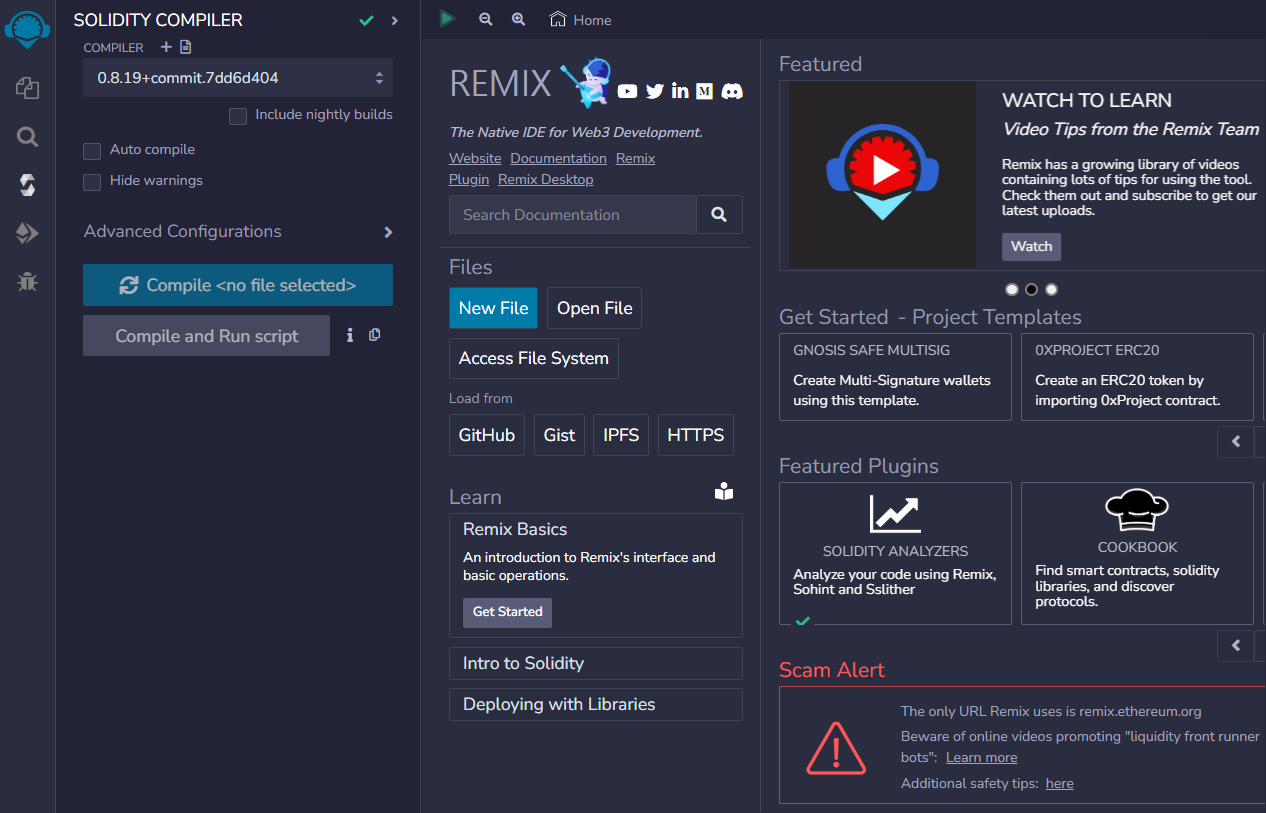
**1) Open Remix IDE**: [https://remix.ethereum.org](https://remix.ethereum.org/)
**2) Create new contract BEP20Token.sol and copy contract code from the BEP20 token template here**
**3) Modify “name”, “symbol”, “decimals” and “totalSupply” according to your requirements.**
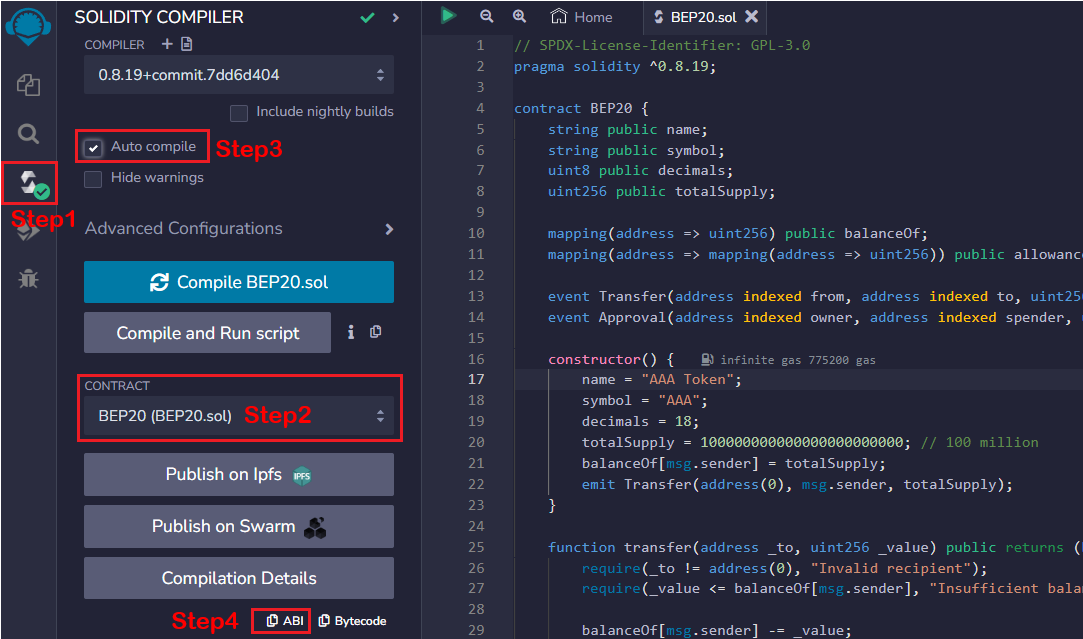
**5) Compile the BEP20 token contract**
* [x] Step1: Click button to switch to compile page
* [x] Step2: Select “BEP20Token” contract
* [x] Step3: Enable “Auto compile”
* [x] Step4: Click “ABI” to copy the contract abi and save it
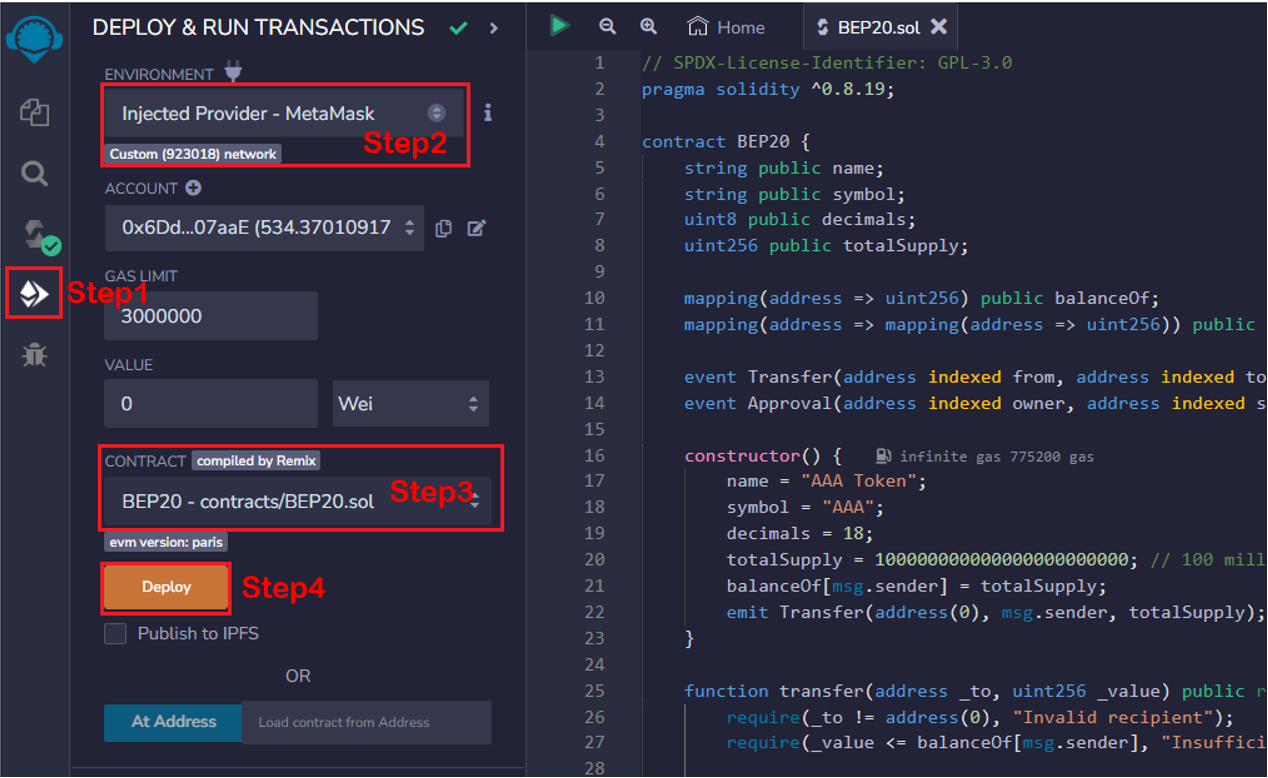
**6) Deploy the contract to FNCY Testnet**
* [x] Step1: Click button to switch to compile button
* [x] Step2: Select “Injected Provider - MetaMask”
* [x] Step3: Select “BEP20Token”
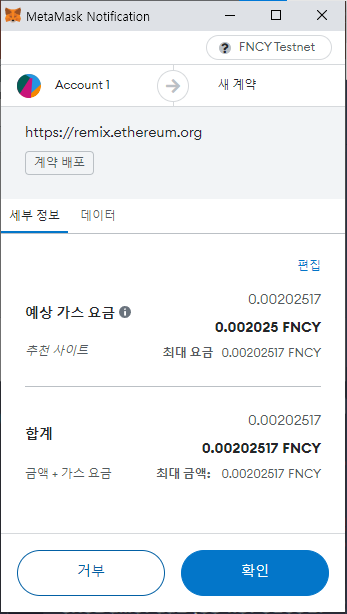
* [x] Step4: Client “Deploy” button and Metamask will pop up
* [x] Client “confirm” button to sign and broadcast transaction to FNCY